Introduction
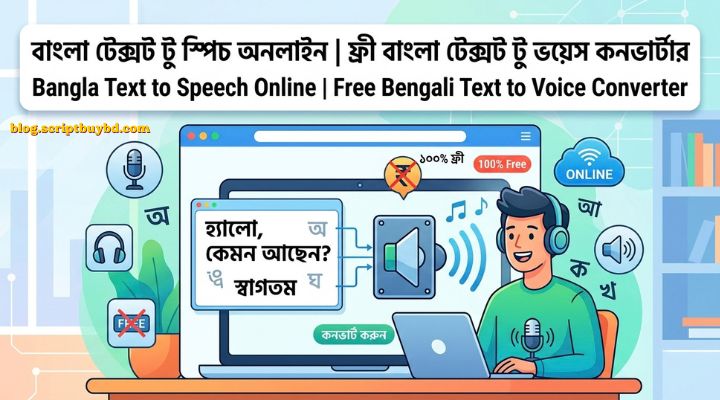
Bangla Text to Speech Online: Free Bengali Text to Voice ConverterDo you want to turn written Bangla into spoken audio? Whether you are creating a YouTube voiceover, studying for an exam, or giving your eyes a rest, Bangla text to speech technology makes it easy. With a free Bengali text to voice co...
Full Details
Bangla Text to Speech Online: Free Bengali Text to Voice Converter
Do you want to turn written Bangla into spoken audio? Whether you are creating a YouTube voiceover, studying for an exam, or giving your eyes a rest, Bangla text to speech technology makes it easy. With a free Bengali text to voice converter, you can paste any text and hear it read aloud in clear, natural-sounding audio within seconds.
In this guide, you will learn what Bangla text to speech is, how it works, who can benefit from it, and which online tools are worth trying.
What Is Bangla Text to Speech?
Text to speech (TTS) is a technology that reads written text aloud using a synthetic voice. A Bangla text to speech tool does this for the Bengali language. You enter a sentence, paragraph, or full article in Bangla, and the tool converts it into spoken audio with Bengali pronunciation.
Modern TTS tools use AI and neural voice technology. This is why today's voices sound much smoother and more human than the robotic voices of the past.
Key Features of a Good Bengali Text to Voice Converter
When choosing a Bangla TTS tool, look for these features:
- Free to use: No hidden charges for basic conversions.
- Simple interface: Paste your text, click a button, and listen.
- Natural pronunciation: Correct Bangla pronunciation with natural pauses and rhythm.
- Fast conversion: Audio is generated within seconds.
- Works on every device: Smooth performance on mobile, tablet, and desktop browsers.
- MP3 download: Save the audio and use it later in videos, presentations, or podcasts.
- No signup required: Start using the tool right away without creating an account.
- Voice options: Male and female voices, plus speed and pitch controls where available.
How to Convert Bangla Text to Speech Online
You can create Bangla audio in just four steps:
- Enter your text. Type or paste your Bangla text into the input box.
- Choose a voice and speed. Pick the voice you like and adjust the reading speed if the tool allows it.
- Click "Convert" or "Generate". The tool processes your text and creates the audio.
- Listen and download. Preview the result, then download the MP3 file if you are happy with it.
Who Can Use Bangla Text to Speech?
1. Content creators and YouTubers
Create Bangla voiceovers without recording your own voice. This saves time, money, and equipment costs.
2. Students and teachers
Listen to notes, lessons, or textbook passages instead of reading them. This is especially useful for quick revision before exams.
3. People with visual impairments or reading difficulties
Hearing text read aloud makes digital content far more accessible.
4. Bloggers and writers
Turn your articles into audio versions for podcasts or for readers who prefer listening.
5. Businesses and organizations
Produce Bangla audio for ads, announcements, training material, IVR systems, and customer support messages.
6. Language learners
Hear how Bangla words and sentences are pronounced. This helps with listening skills and accent practice.
7. Busy professionals
Listen to long documents while commuting, exercising, or doing other tasks.
Benefits of Using Bangla Text to Speech
- Saves time: Generate audio in seconds without booking a studio or voice artist.
- Reduces cost: Free tools remove the need for a professional recording budget.
- Improves accessibility: Makes written content available to more people.
- Supports multitasking: Listen while you work, travel, or relax.
- Helps proofreading: Hearing your text read aloud makes awkward sentences and typos easier to spot.
- Scales easily: Convert one paragraph or an entire document with the same effort.
Best Online Tools for Bangla Text to Speech
Besides our own tool, several other platforms let you convert Bengali text to voice online. Here are some popular options.
1. ElevenLabs
Known for realistic AI voices. Its free plan includes a monthly character allowance, which makes it a good choice for testing voice quality and small projects.
2. Murf AI
Lets you choose a male or female Bangla voice and adjust pitch, speed, and pronunciation. Free use does not require signup.
3. Narakeet
Offers a large library of Bangladeshi-accent Bangla voices and MP3 downloads. It works well for video voiceovers and audiobooks. If you need a West Bengal accent, check its Indian Bengali voice page.
4. Luvvoice
A free tool with no login required. It provides Bangla voices for both Bangladesh and India, and you can save the result as MP3.
5. Crikk
Converts Bengali text to speech without signup and lets you download the audio as MP3. Free conversions have a per-request character limit.
6. BuliAI
A Bangla-focused AI voice generator with many male and female voices. The free plan has a small character allowance and MP3 download.
7. CAMB.AI
Offers expressive AI voices with control over tone and pace, suited to more professional projects.
8. NepVox
A simple free Bangla TTS tool with no login and free MP3 downloads.
9. FreeReadText
Provides natural Bangladeshi Bangla AI voices with free MP3 download and no signup.
Quick Comparison
| Tool | Signup needed? | Best for |
|---|---|---|
| ElevenLabs | Account needed for free plan | High-quality, realistic voices |
| Murf AI | No | Pitch and speed control |
| Narakeet | No | Video voiceovers, many voices |
| Luvvoice | No | Bangladesh and India accents |
| Crikk | No | Quick MP3 downloads |
| BuliAI | Varies | Bangla-focused voice library |
| CAMB.AI | Varies | Expressive, professional audio |
| NepVox | No | Fast, simple conversion |
| FreeReadText | No | Easy Bangladeshi-accent voices |
Which one should you choose? For quick, hassle-free conversions, Luvvoice, NepVox, or FreeReadText are good starting points. For video projects with more voice options, try Narakeet. For higher-quality or more expressive output, look at ElevenLabs or CAMB.AI.
Note: Free limits, features, and pricing change over time. Check each website for current details before relying on it.
Tips for Getting Better Audio Quality
- Use correct spelling. Spelling mistakes can lead to wrong pronunciation.
- Add punctuation. Commas and full stops (দাঁড়ি) create natural pauses and tone.
- Write short sentences. Short sentences sound clearer than long, complex ones.
- Write out numbers and abbreviations. Spelling them in words helps the voice pronounce them correctly.
- Test a short sample first. Listen to a few lines before converting a long document.
- Split long text. Many free tools have character limits, so break large texts into parts.
- Try different voices. Some voices suit narration better, while others suit casual content.
Frequently Asked Questions (FAQ)
1. Is Bangla text to speech really free?
Yes. Many tools let you convert Bangla text to voice for free, though some limit the number of characters or the number of voices.
2. Do I need to create an account?
Not always. Several tools work without registration, while others require a free account for extra features.
3. Can I use it on my phone?
Yes. Most online TTS tools work in any modern browser on mobile, tablet, or computer.
4. Can I download the audio?
Most tools let you download the result as an MP3 file.
5. Can I use the generated audio on YouTube or in commercial projects?
This depends on the tool. Always check the platform's terms of use and licensing rules before using audio commercially.
6. How long can my text be?
Limits vary by tool. If your text is long, split it into smaller sections.
7. Will the voice sound completely human?
AI voices have improved a lot and often sound natural, but results depend on the tool, the voice, and the quality of your text. Correct spelling and punctuation help.
8. What is the difference between Bangladeshi and Indian Bengali voices?
Both read Bengali, but accent, pronunciation, and word choice can differ. Choose the one that matches your audience.
Final Thoughts
As Bangla content grows online, Bangla text to speech is becoming more useful for creators, students, businesses, and everyday users. A good Bengali text to voice converter saves time, cuts costs, and makes information easier to access.
Try it now: paste your Bangla text, pick a voice, and hear it come to life in seconds.
🌐 Turbo Website Reviewer v3.3 - In-depth SEO Analysis Script 🌐 All in One Video Downloader Script v2.4.0 🌐 TikTok Video Downloader Without Watermark & Music Extractor Script v3.0.5